
Instagram reel analysis · Chrome extension
Break down the reels that work.
Make them your conti.
One click while you watch. See the second viewers get hooked and when the hook completes, how tightly the cuts sit on the beat, and where viewers reacted — second by second — then turn it into a conti you can paste straight into a video generator.
Press it on a reel
Hit the extension button or the shortcut (Alt+Shift+R) on the reel you are watching. Press it on several as you scroll and they are analyzed in order.
Get the report
Cuts, camera motion, color and sound are measured, then the whole video is watched to break down the hook and story. Usually done within a minute.
Take it as a conti
Turn the reels you like into a conti. You can also keep the hook and structure and swap in a new subject.
Real analysis screens
Here is what one reel looks like
Every screen below is from one real reel, analyzed in English mode.
Hook, intensity and story in one score
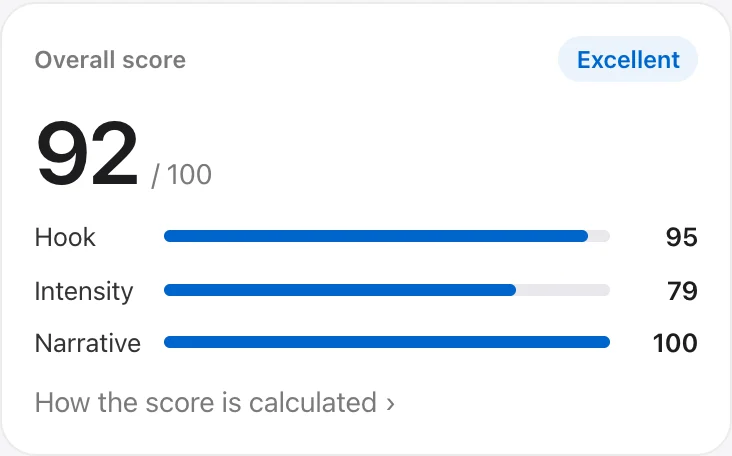
The report opens with a score out of 100. Hook (how fast and hard the first 6 seconds grab), intensity (the peaks and swings of the emotion curve) and narrative (whether setup, turn, reveal and payoff are all there) are scored separately, so you see at a glance what is strong and what is missing.
- This reel: 92 · Excellent
- Hook 95 · Intensity 79 · Narrative 100
- The same report always gets the same score
Starts with what actually happened
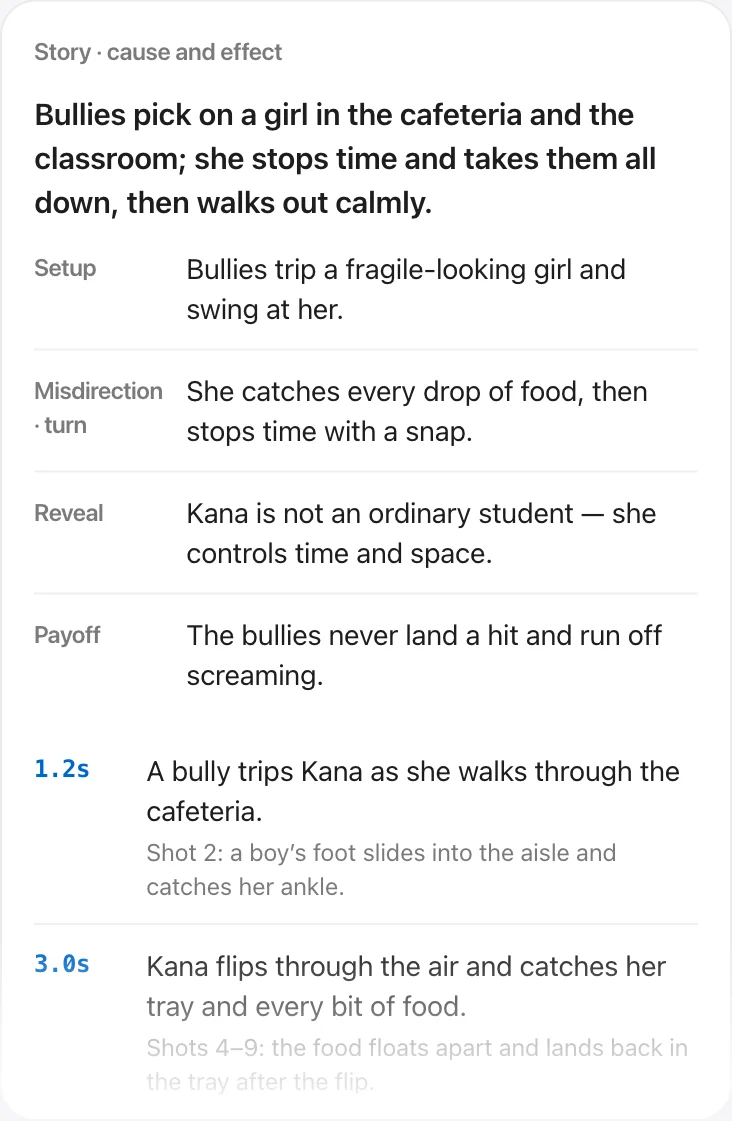
A one-line summary, then setup → turn → reveal → payoff, each with the scene it is based on and the exact second. Events that are not shown on screen but follow from the shots around them are marked Inferred.
- 7 events placed from 1.2 s to 83 s
- Characters told apart by outfit and build
Names why the first 6 seconds work
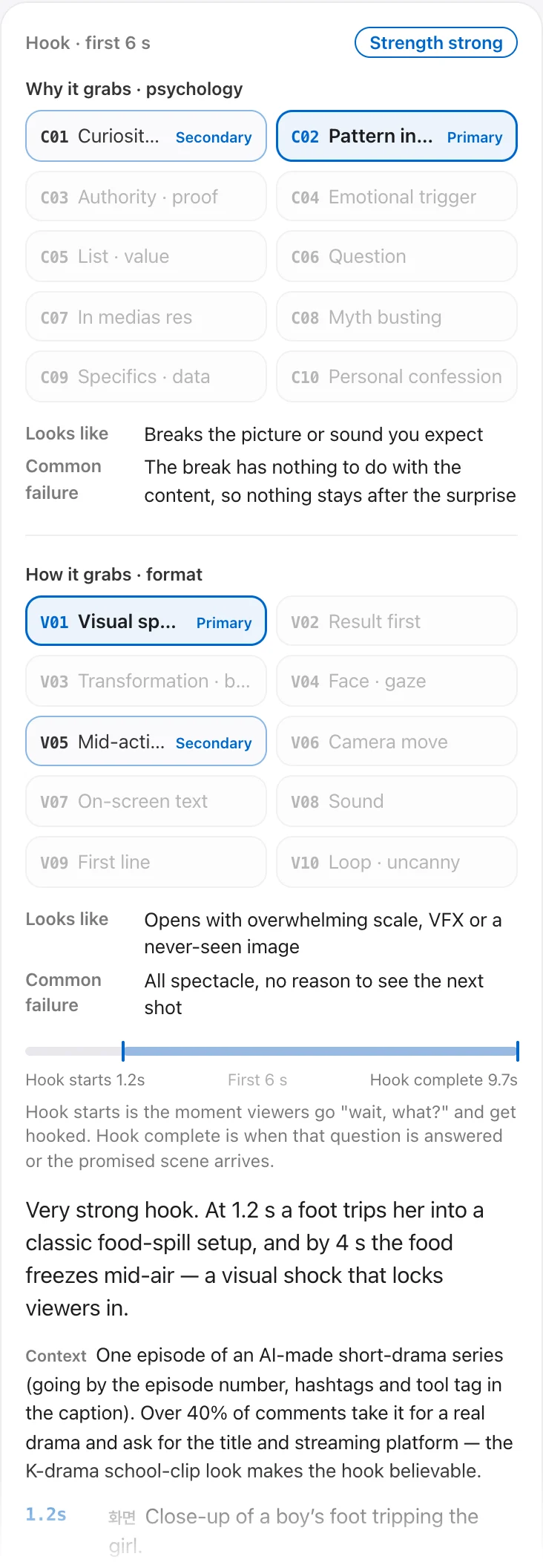
Split into why it grabs (10 psychological types) and how it grabs (10 format types), with the primary and secondary type marked. It also shows the moment viewers go “wait, what?” (hook starts), the moment that question is answered (hook complete), and the scenes behind the call. Captions, hashtags and comments are read as clues to new products, memes and current events, so it can tell when a hook rides a trend.
- This reel: C02 Pattern interrupt + V01 Visual spectacle
- Hook starts at 1.2 s · hook complete at 9.67 s · strength: strong
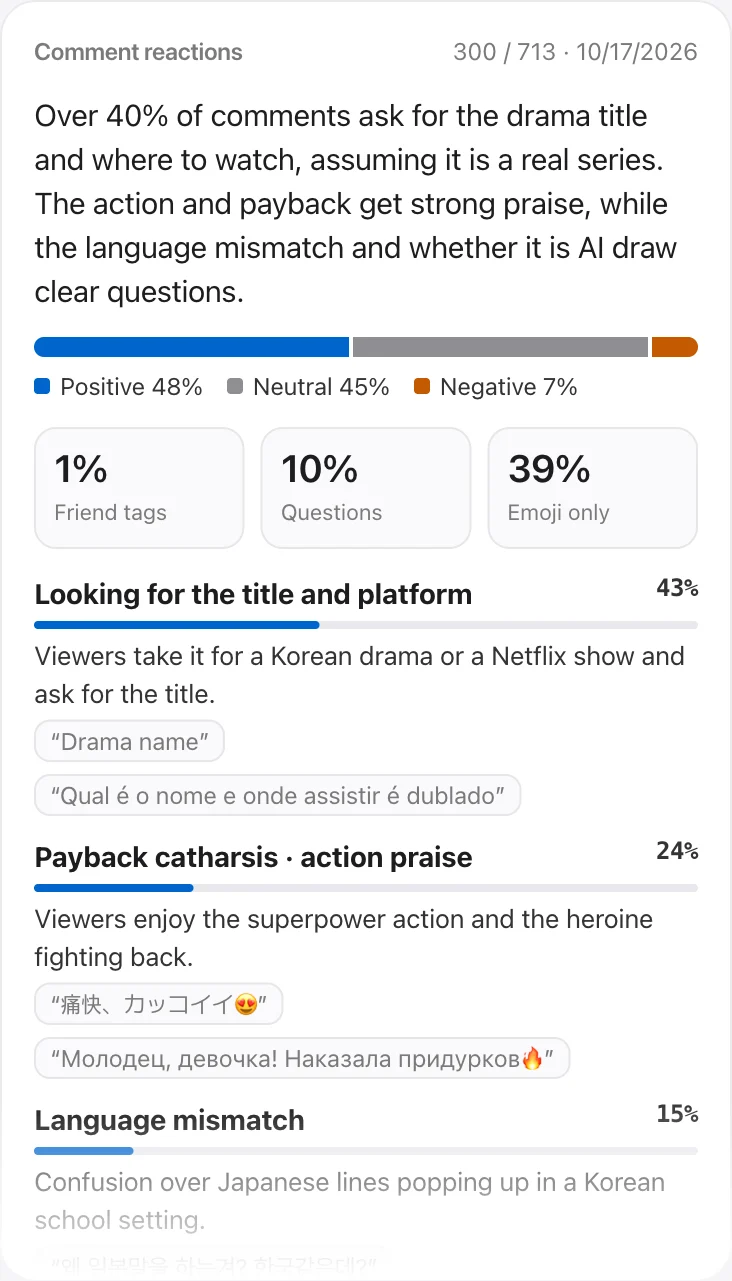
- Context: 40%+ of comments took it for a real drama
See where viewers rise and drop
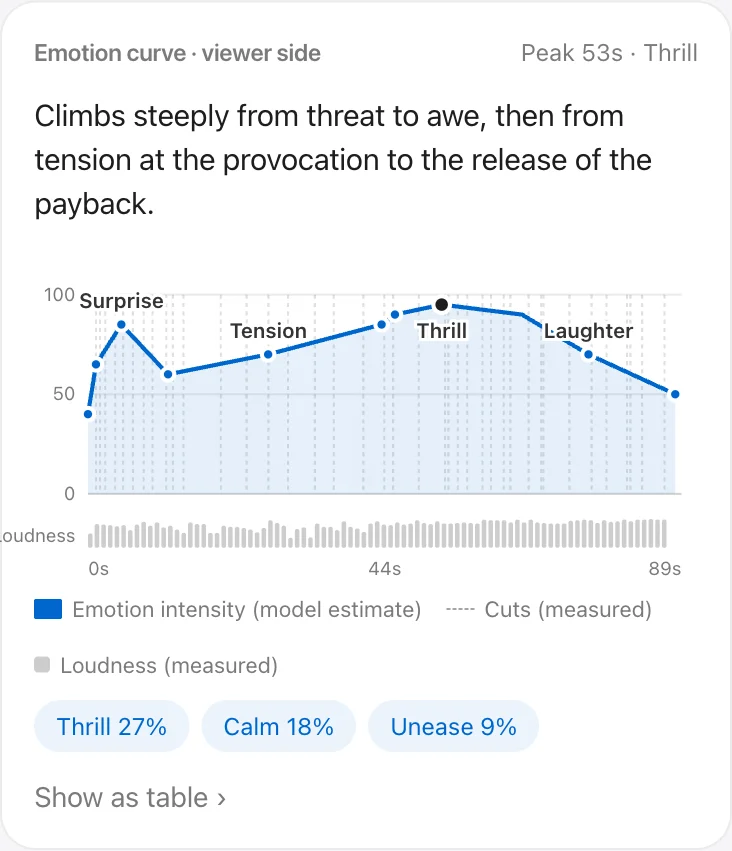
Plots the intensity and kind of emotion viewers feel over time. The measured loudness runs underneath, so you can check whether the emotional peaks line up with the loud moments.
- Peak at 53 s · Thrill 95 (the punch lands as time resumes)
- Hover a point to see the cue at that moment
Reads what viewers actually reacted to
Groups recent comments into recurring reactions and gives each a share. It also pulls out viewer questions, the scenes reactions cluster around, and what to apply to your next video. Comment authors’ handles are never stored.
- 300 comments · grouped into 5 themes
- Shares like “43% ask for the drama title”
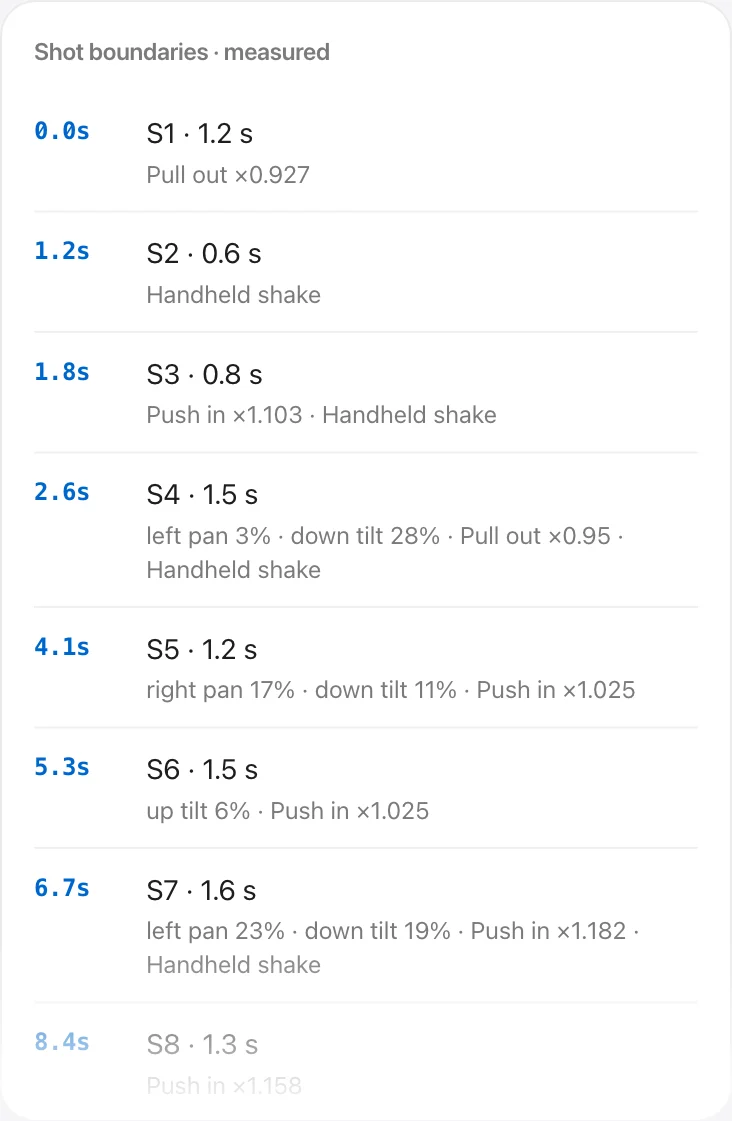
Cuts and camera motion are measured, not guessed
The video is computed in your browser, not left to the AI. Cuts are found to 1/30 s, and each shot records zoom, pan, tilt and shake as numbers. Color, BPM and how many cuts land on the beat are measured the same way.
- 40 shots · 2.2 s average · 0.33 s shortest
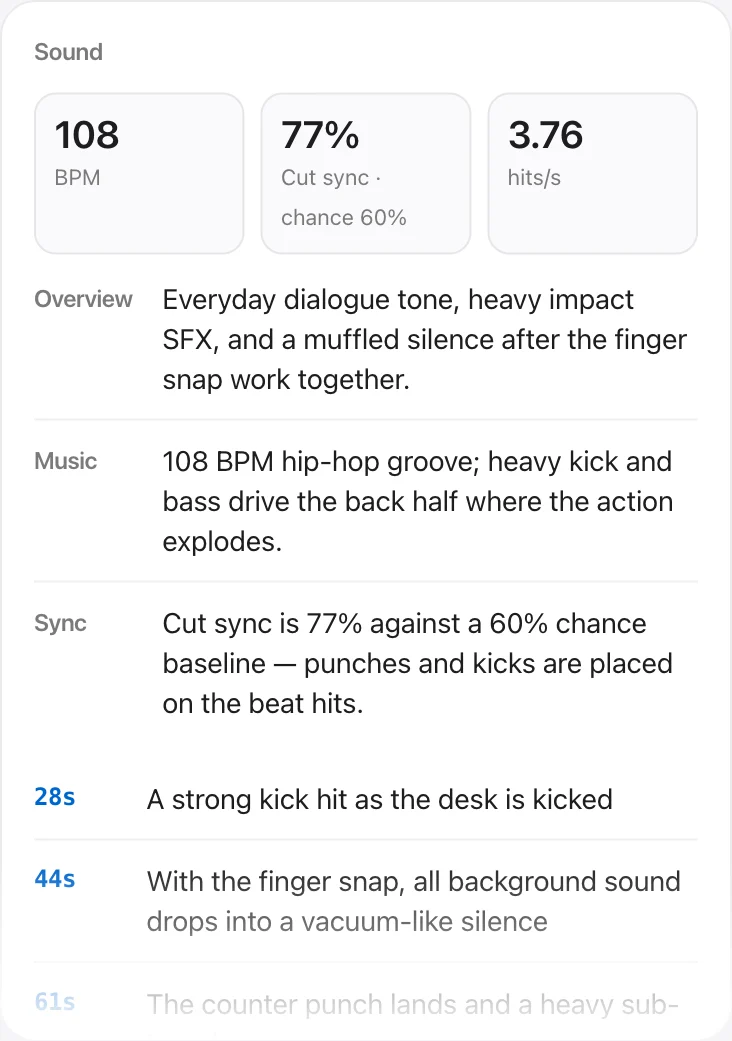
- 77% of cuts on the beat (60% by chance)
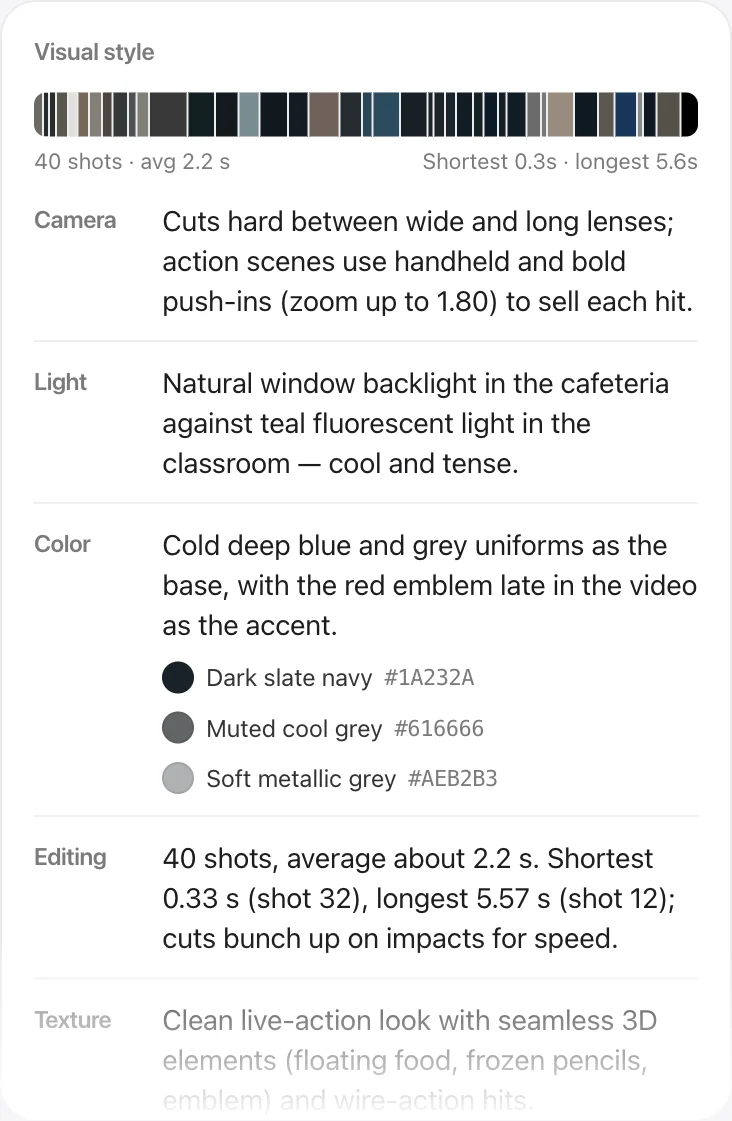
How it was shot and how it sounds
Camera, light, color, editing, texture and mood item by item, with the main colors as hex codes. Sound covers the music, BPM and the decisive moments — hits and silences — to the second.
Lines transcribed, actions in three bullets
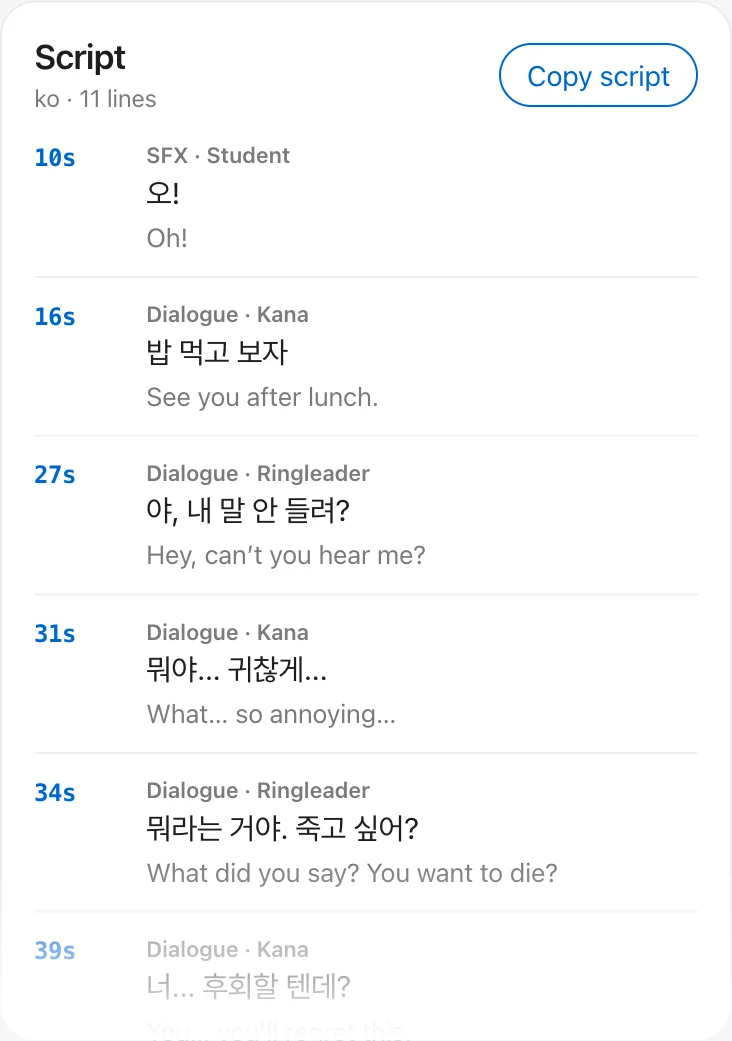
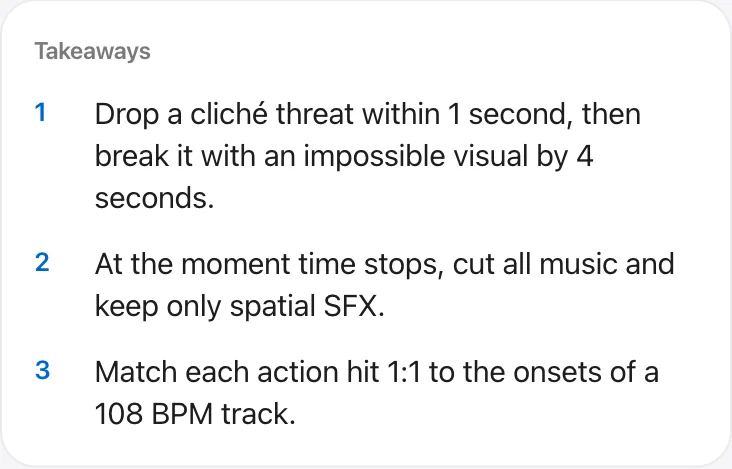
Dialogue, narration and on-screen text are transcribed by time and speaker, with an English translation under foreign lines. The report ends with three things to apply to your own video.
From analysis to a conti you can use
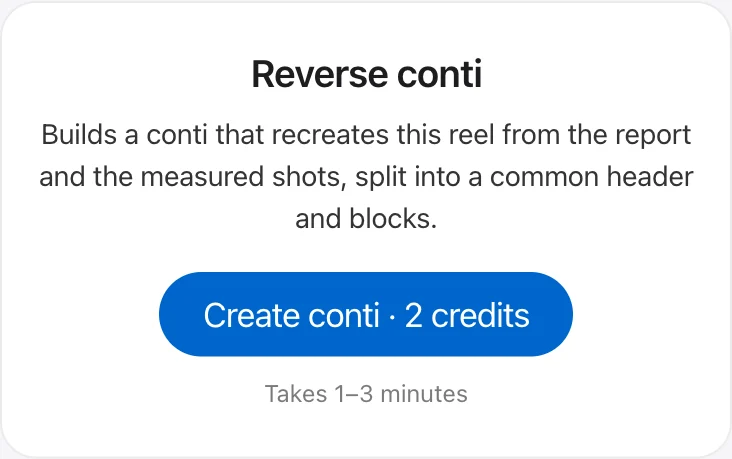
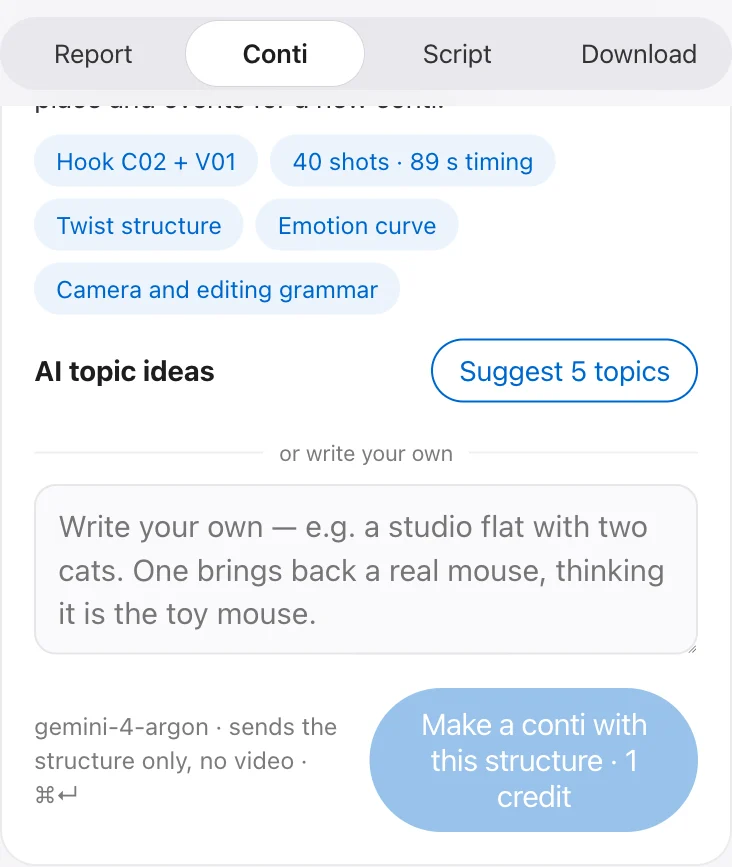
Split into a common header (genre, style, characters, setting) and per-block shot descriptions. Paste the common part once and each block in turn into your video generator. You can also keep the hook, shot timing and twist and swap in new characters, places and events — or get 5 topic ideas that fit the same structure.
- Subscribers only · conti 2 credits · new-subject conti 1 credit
- Topic ideas use no credits
Reports can be saved as PDF or Markdown. New here? Start with How to use.
Pricing
One credit balance covers both analysis and conti. An analysis is 1 credit, a conti 2, a new-subject conti 1.
Free users get 4 credits a month, for light analyses only.
Free
₩0
4 credits a month
- 4 light analyses (summary · main hook type · emotion curve)
- Conti and detailed analysis locked
Basic
₩5,900 / mo
12 credits a month
- 12 analyses if you only analyze
- 6 contis if you only make contis
Plus
₩12,900 / mo
30 credits a month
- 30 analyses if you only analyze
- 15 contis if you only make contis
Pro
₩24,900 / mo
60 credits a month
- 60 analyses if you only analyze
- 30 contis if you only make contis
Subscribers keep getting new features as they ship, at no extra cost.
- Prices include VAT and are charged in Korean won. Billed on the same day every month, when your credits refill.
- Free analysis shows the summary, main hook type and emotion curve. Story evidence, comment reactions, style and sound breakdown, shot boundary measurements, script, export and contis unlock with the detailed analysis (subscription).
- A new-subject conti is 1 credit. Topic ideas and comment analysis use no credits.
- Unused credits do not roll over. Start and cancel your subscription from the account menu in the extension.
FAQ
Which browsers does it work in?
Chrome (or a Chromium-based browser) on desktop. Keep one tab signed in to Instagram open so it can read the reel.
Do I need an API key or any setup?
No. Sign in with your Google account and you are ready.
What do I get for free?
4 free credits a month for light analyses, refilled on the 1st: a one-line summary, the main hook type and strength, the emotion curve and measurements like cuts and BPM. Story evidence, comment reactions, script, export and contis unlock with a subscription.
Do subscribers get new features?
Yes. New features keep coming to subscribers, at no extra cost.
How are credits used?
Analyzing a reel uses 1 credit, a conti 2, and a new-subject conti 1. If an analysis or conti fails, the credits come back. Analyzing the same reel again uses 1 new credit.
Can I get results in English?
Yes. Choose English in the account menu and both the interface and new reports come out in English. Existing reports stay in the language they were made in.
Is the video stored anywhere?
The video is only used during analysis and is not stored on our servers. Reports and contis are saved in your browser.
Does canceling stop it right away?
No. You keep using it until the end of the period you paid for, and you will not be charged again.
Can I get a refund?
If you have not used any credits within 7 days of paying, we refund you in full — instantly, from Request refund in the extension’s account menu (self-service refunds are limited to once every 90 days). See the refund policy.
Can I change plans?
Yes, from the account menu in the extension. Upgrading applies right away — you pay only the difference and get the new plan’s credits minus what you’ve used, with the same billing date. Downgrading applies from your next billing date.
Can I repost what I analyze?
Reelscope is for learning a structure and remaking it with your own subject. Recreating someone else’s video as is may infringe their copyright.
Start for free
Get 4 free credits a month for light analyses, no card needed. Detailed analysis and contis unlock with a subscription.
Add from the Chrome Web Store